PaT Lite: Introducing Strategy Documents
A new way to communicate, educate, report and visualise data for your business.
On this page
- Step 1
- Step 2
- Step 3 · SDs are a proprietary document type you’ll only find in PaT
- Step 4 · The difference is SDs are alive
- Step 5 · One structure, endless possibilities
- Step 6 · The SD: PaT’s Most Powerful Building Block
- Step 7 · The header section is made up of three parts
- Step 8 · The second part of the header is the membership list
- Step 9 · The third part of the header are these two toolbars
- Step 10
Step 1
Introducing Strategy Documents (SD's)
Step 2
A new way to communicate, educate, report and visualise data for your business.
Step 3 · SDs are a proprietary document type you’ll only find in PaT
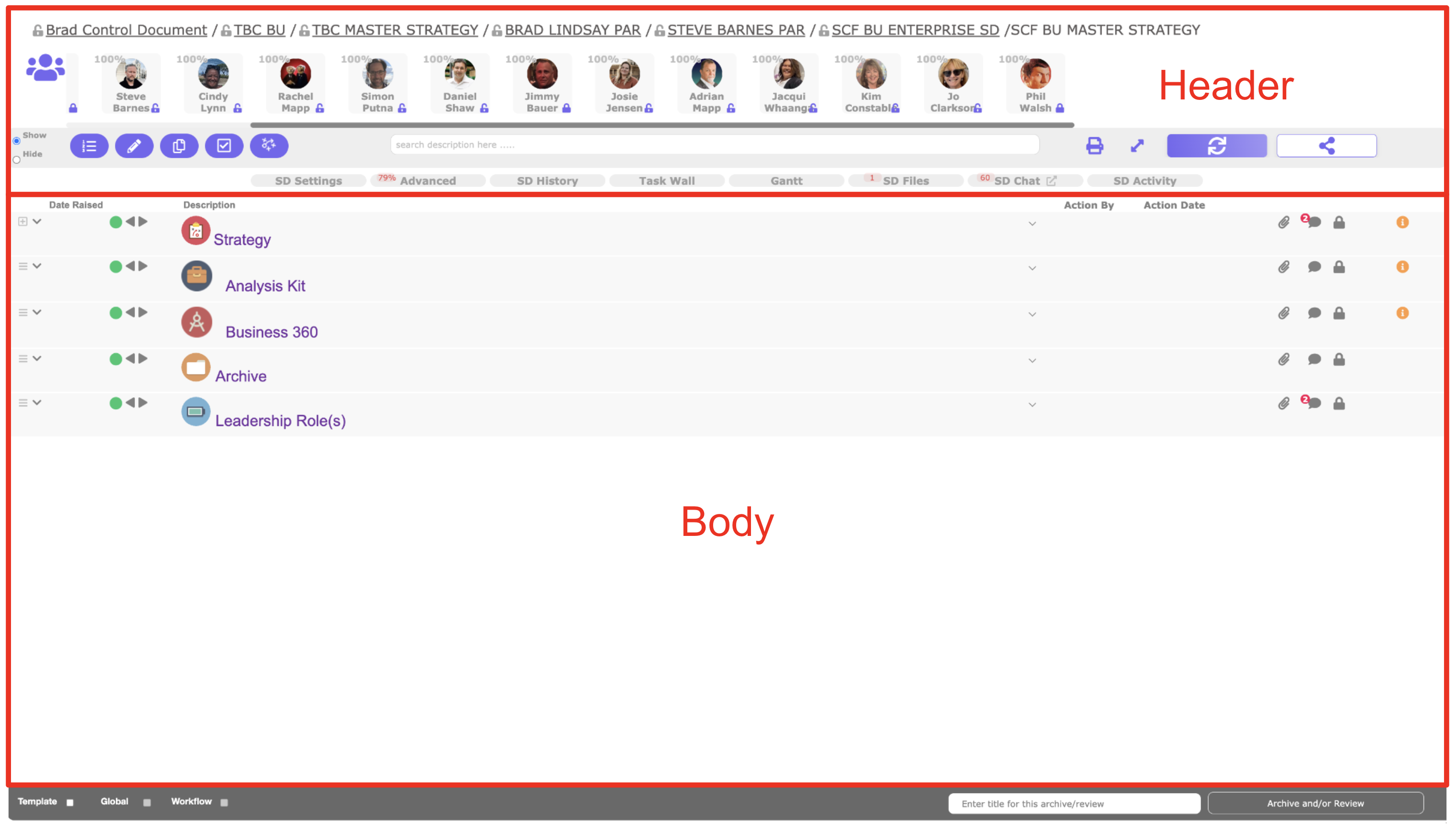
They replace many of the old flat-file tools — Word docs, Excel or Google Sheets, PowerPoint or Slides. Like those, SDs let you present text, images, and video. The difference? SDs are database-driven. That means your documents don’t just hold information — they can automate work around it, connect directly to workflows, and drive real outcomes. SDs are made up of two sections, a header and the body section. If you're ready to geek out on some of the detail click "Learn More", otherwise click "Next".
Step 4 · The difference is SDs are alive
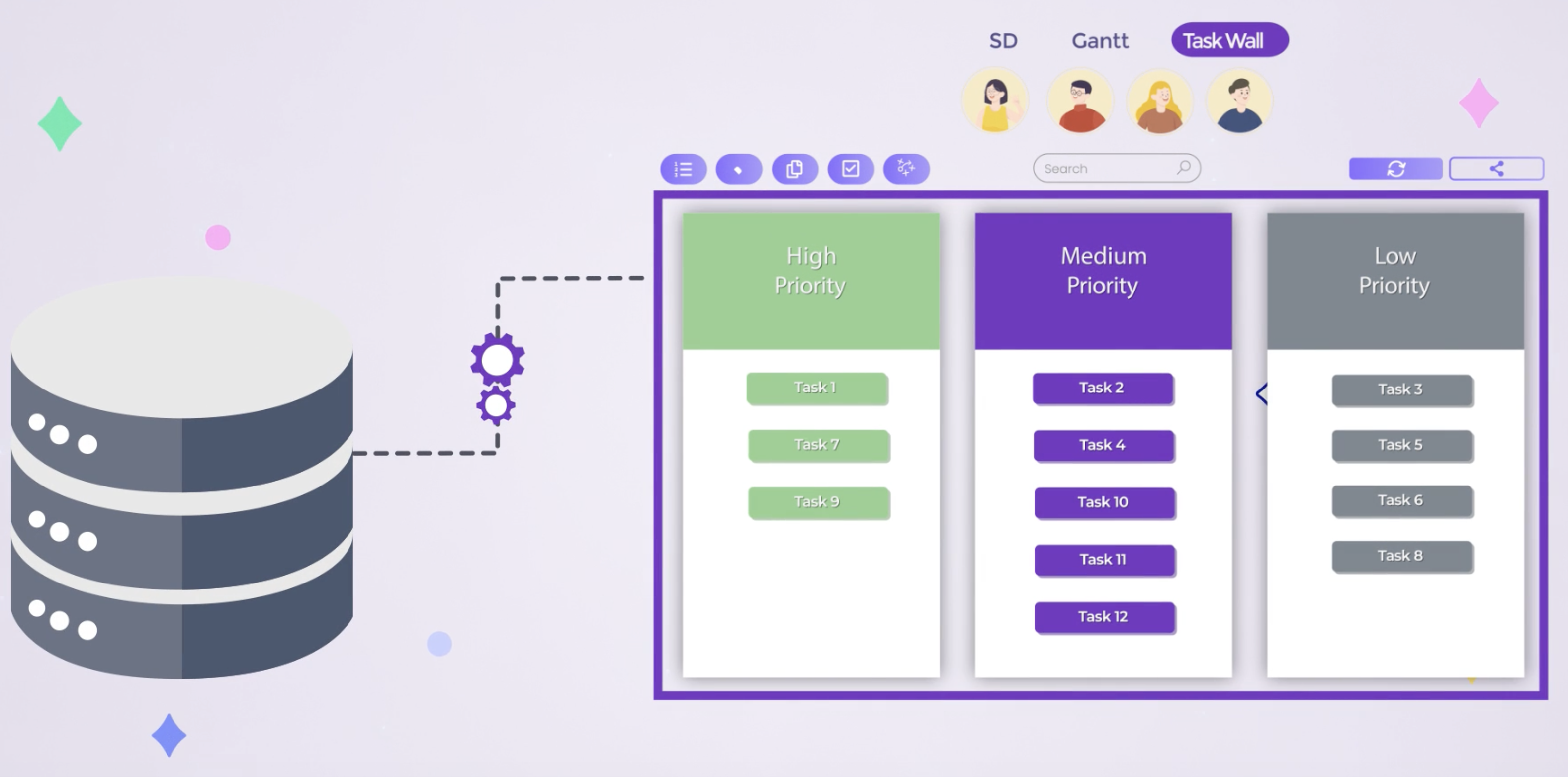
Traditional Word, Excel, and presentation files are usually used as static documents. SDs, by contrast, are natively connected to a database — meaning they deliver live, structured information in ways old tools were never designed to.
- Attach live chat threads to specific blocks of text
- Embed dynamic forms to capture data inside the document
- Link real-time dashboards that update automatically
Step 5 · One structure, endless possibilities
Because SDs are database-driven, they can be adapted into almost any business application:
- Project plans
- Audits & inspections
- Business Strategy documents
- Training modules
- Client dashboards
- Meeting minutes And more — all inside one intelligent platform.
Step 6 · The SD: PaT’s Most Powerful Building Block
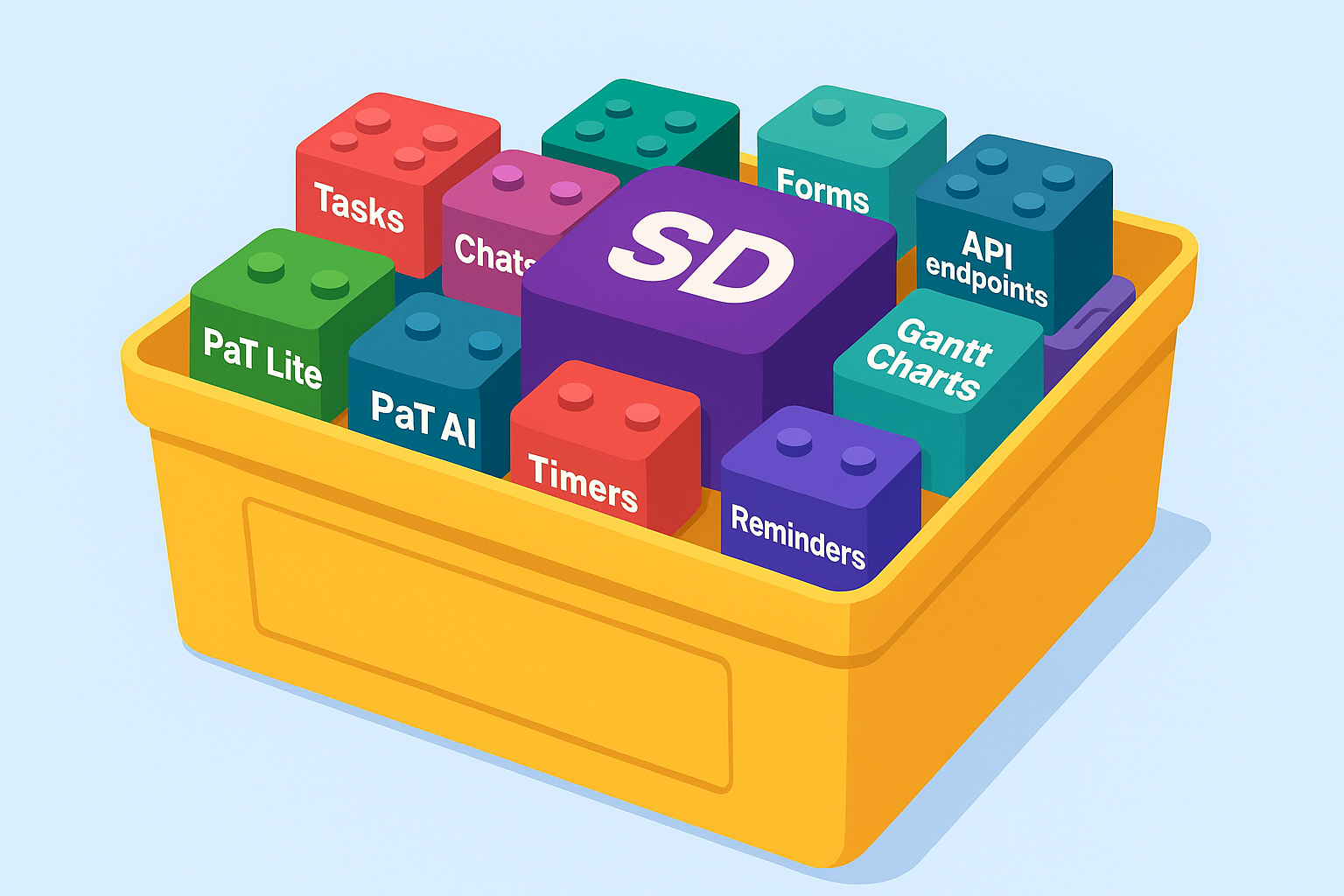
Think of PaT as a box of Lego. Every block snaps together inside one unified system — apps we provide and apps you create — all without writing a single line of code. This seamless integration is what makes PaT unique. No other platform lets you build business apps this quickly, this intelligently, and with zero code. At the centre is the Strategy Document (SD) — PaT’s most versatile block, powering around 60% of the business apps you’ll ever need. The magic is this: once you master SDs for one use case, every new application becomes exponentially faster to learn or create. Soon you’ll look at any business problem and instantly see how an SD can solve it — audits, dashboards, CRMs, ticketing systems, and more.
Step 7 · The header section is made up of three parts
The first is this file path — this tells you exactly where the document is filed in PaT. Every document is linked into a single, organisation-wide map we call the SD Map. The SD Map makes it far easier to find what you need, onboard new staff, and keep company data accurate compared to traditional filing systems.
Step 8 · The second part of the header is the membership list
This shows you who owns the document and who has been invited to view or edit it. Membership is more than just visibility — it’s how security is managed.
By inviting members and linking SDs, authors build a security framework that’s both simple and powerful. Instead of relying on the IT department to manage access, control sits with the people creating the documents — all within a defined, secure structure.
Step 9 · The third part of the header are these two toolbars
These control a wide range of functions that let you build, automate, and transform SDs into powerful business applications. This is where you build forms, dashboards and connect to external data sources using APIs. As you progress, we’ll introduce these features step by step. Before long, you’ll wonder how you ever worked without them.
Step 10
The body section is where you create, read, and modify content based on your membership rights. SDs are built on a hierarchical structure — like an expandable table of contents. Start simple, then drill down into layers of detail, from a to-do list, to a project plan, or even a $100M global business strategy. This keeps complex work easy to navigate, with readers always able to return to a familiar point while staying aware of the bigger picture. Because this structure is consistent across PaT — in every bundled app and every solution you create — the learning curve is short. And since everything runs inside one intelligent platform, leaders can roll out solutions at a pace flat-file tools like Word or Excel could never match. The result is a self-reinforcing cycle of systemisation, automation, and ever-increasing productivity and efficiency gains.